Email marketing is a way to communicate with people who have chosen to receive messages from you.
It can be useful for businesses, creators, freelancers, publishers and online stores. Unlike social media, where platforms decide who sees your posts, your email list is a direct line to people who asked to hear from you.
The most important part is not sending as many emails as possible. It is building a relevant list and providing useful information.
Quick answer: To start email marketing, define a specific audience, offer a clear reason to subscribe, create a simple signup page, send a welcome email that delivers what you promised, publish useful content regularly and respect permission and privacy rules.
Step 1: Define Your Audience
Start by deciding who you want to communicate with.
Examples:
- Web developers
- Freelancers
- Small businesses
- Fitness enthusiasts
- Students
- Product customers
A specific audience makes it easier to create useful content. "Frontend developers learning Tailwind CSS" is much easier to write for than "anyone interested in tech."
Write a short description of your ideal subscriber: what they do, what they are trying to achieve and what they struggle with. Refer back to it whenever you plan an email.
Step 2: Create a Reason to Subscribe
People need a reason to give you their email address.
You could offer:
- A checklist
- A free template
- A short guide
- A discount
- A useful newsletter with a clear topic
- A webinar or workshop
The resource should be relevant to the audience and connected to what you do. For a developer resource site, a free UI component pack or a launch checklist is a natural fit.
Be specific about the value. "Join my newsletter" is weak; "Get one practical CSS tip every Tuesday" tells people exactly what they will receive.
Step 3: Create a Signup Page
Your signup page or form should explain:
- What subscribers receive
- How often you send emails
- Why the content is useful
Keep the form simple. Usually, an email address is enough to begin; a first name is optional if you want to personalize messages.
Place signup forms where interested people already are: at the end of blog posts, on a dedicated landing page, in your site footer and in your social media profiles. Our guide on how to create a landing page for free shows how to build a focused signup page.
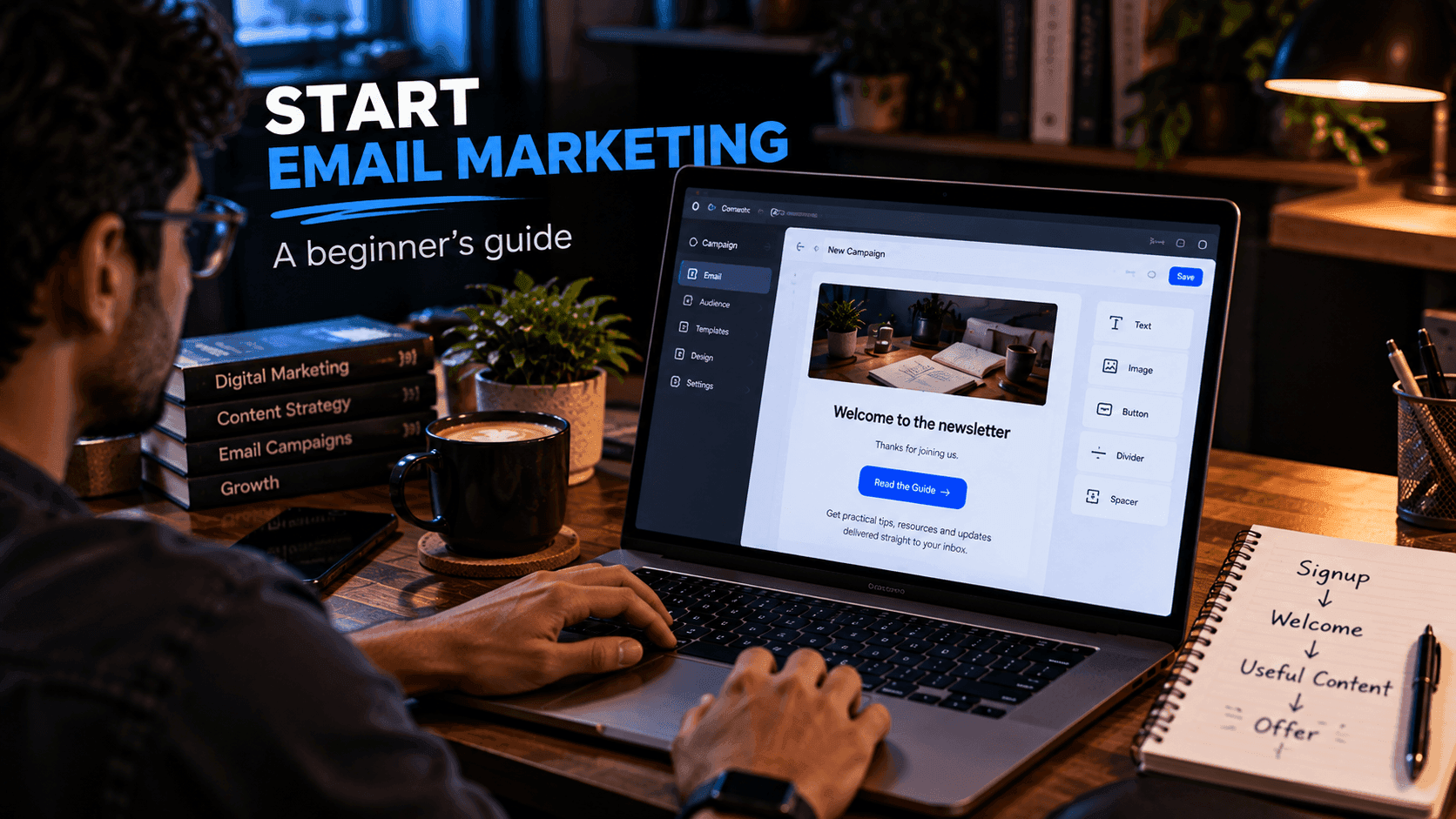
Step 4: Send a Welcome Email
The first email should deliver what you promised, immediately.
For example:
Thanks for subscribing. Here is your free website checklist.
In the same email, you can:
- Introduce yourself in a sentence or two
- Explain what subscribers can expect from future messages
- Invite them to reply with a question, which also helps you learn what they need
The welcome email sets expectations, so keep it friendly, short and useful.
Step 5: Create Useful Content
A simple newsletter could include:
- One useful tip
- One tutorial
- One resource
- One relevant recommendation
Avoid sending messages only when you want to sell something. If most of your emails help people solve a real problem, the occasional offer feels natural rather than intrusive.
Consistency matters more than volume. A short, useful email every two weeks is better than a burst of daily emails followed by months of silence.
Step 6: Create a Basic Sequence
An automated sequence sends a set of emails to each new subscriber over their first days or weeks. For a new subscriber, you might create:
Email 1: Welcome and the promised resource
Email 2: Helpful educational content
Email 3: Common mistakes and how to avoid them
Email 4: A recommended solution
Email 5: An additional resource or a relevant offer
The exact sequence depends on your audience. Space the emails a day or a few days apart, and make each one valuable on its own.
A sequence like this is often part of a larger sales funnel. If that concept is new, read what is a sales funnel.
Step 7: Respect Permission and Privacy
Only email people who have appropriately opted in.
Make it easy to understand:
- What they are subscribing to
- Who is sending the emails
- How they can unsubscribe
Every marketing email should include a working unsubscribe link. Follow the privacy and email-marketing requirements that apply to your audience and business, which can differ by country.
Choosing an Email Marketing Tool
Developers can integrate email APIs directly into applications. That gives full control, but you also need to handle subscriber storage, unsubscribes and compliance yourself.
For many creators and small businesses, a managed platform is simpler. systeme.io is one platform worth exploring because its email marketing tools work alongside landing pages and funnels, so signup forms, sequences and pages live in one place. See our systeme.io email marketing guide for an overview.
To compare different types of tools, read our guide to the best email marketing tools for small businesses.
Metrics to Watch
Useful metrics include:
- Delivery rate: how many emails reached inboxes rather than bouncing
- Open rate: how many people opened the email
- Click rate: how many people clicked a link
- Unsubscribe rate: how many people left the list
- Conversion rate: how many took the action you wanted
Do not judge a campaign using one number alone. A high open rate does not automatically mean the campaign achieved its goal, and open tracking is not always precise because some email apps load images automatically or block them.
A Simple First-Month Plan
- Week 1: Define your audience and create your free resource.
- Week 2: Set up your signup form and welcome email.
- Week 3: Write the first two or three emails of your sequence.
- Week 4: Share your signup page and send your first regular newsletter.
After that, review your numbers monthly and read every reply you receive.
Common Mistakes
Avoid:
- Buying email lists
- Sending irrelevant content
- Hiding the unsubscribe option
- Over-emailing
- Misleading subject lines
- Making every message promotional
- Waiting until you have a "big enough" list to start sending
Frequently Asked Questions
How do I start email marketing with no subscribers?
Start by choosing a specific audience, creating a useful free resource or newsletter, and adding a simple signup form to your website, social profiles and content. Your first subscribers often come from people who already follow your work.
How often should I send marketing emails?
Send as often as you can consistently provide something useful, and tell subscribers what to expect when they sign up. For many beginners, weekly or every two weeks is manageable.
What should my first email say?
Your welcome email should deliver what you promised, such as a checklist or template, briefly explain who you are and tell subscribers what kind of emails they will receive next.
Is it legal to buy an email list?
Buying lists is widely discouraged and can conflict with privacy and anti-spam rules in many regions. Only email people who have opted in, and follow the rules that apply to your audience and business.
Which metrics matter in email marketing?
Delivery rate, open rate, click rate, unsubscribe rate and conversions toward your goal are the common ones. Look at them together rather than judging a campaign by one number.
Final Thoughts
Good email marketing starts with permission and relevance.
Build a small audience, provide useful content and learn from the responses. You can gradually improve your signup page, emails and offers as you collect real data.
Related reading:
- Best Email Marketing Tools for Small Businesses
- How to Create a Sales Funnel
- How to Create a Landing Page for Free
- systeme.io Email Marketing Guide
Disclosure: FreeDevTemplates may earn a commission if you sign up for systeme.io through links on our guide pages, at no additional cost to you. Read our affiliate disclosure.