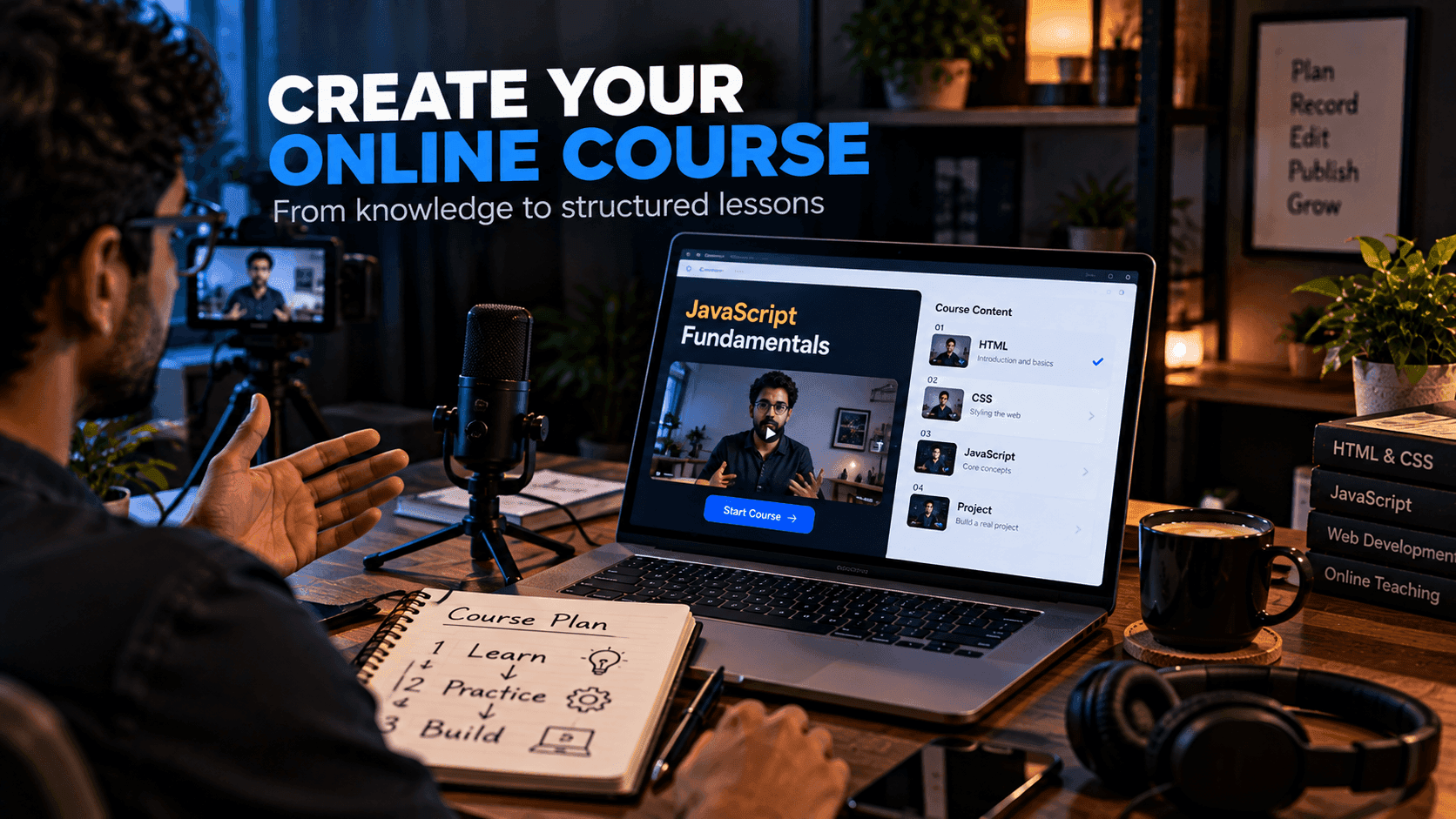
Creating an online course can be a practical way to organize knowledge into a structured learning experience.
You do not need to begin with dozens of lessons. A focused course that helps students achieve one clear outcome is easier to create, easier to explain and easier to maintain. It is also more useful for students, who usually want a specific result rather than every possible detail.
This guide walks through the full process, from choosing a topic to testing the course before launch.
Quick answer: To create an online course, choose one specific learning outcome, define your student, break the outcome into modules, choose lesson formats, add practical exercises, set up a course platform, create a landing page and test the course with a small group before launching.
Step 1: Choose a Specific Learning Outcome
Start with the result students should achieve.
For example:
Build your first responsive website using HTML and CSS.
This is much clearer than:
Learn everything about web development.
A specific outcome helps you decide what lessons belong in the course and, just as importantly, what to leave out. It also makes the course easier to describe on your landing page.
A good outcome is concrete and checkable: at the end, the student has built something, can do something or understands something they could not before.
Step 2: Define the Student
Think about:
- Experience level
- Existing knowledge
- Goals
- Common difficulties
- Available time
A beginner course should not assume advanced knowledge. If students need prerequisites, such as basic HTML before a JavaScript course, state them clearly or include a short refresher module.
Talking to a few people in your target audience before you build is one of the best uses of your time. Their questions often become your lesson titles.
Step 3: Create the Curriculum
Break the outcome into logical modules.
For a beginner web development course:
Module 1: HTML fundamentals
Module 2: CSS fundamentals
Module 3: Responsive layouts
Module 4: Project development
Module 5: Publishing your site
Each module should move the student closer to the final outcome. Within each module, break topics into short lessons that each cover one idea.
A simple check: for every lesson, ask "does the student need this to reach the outcome?" If not, move it to a bonus section or remove it.
Step 4: Choose Your Lesson Format
Possible formats include:
- Video
- Written lessons
- Screen recordings
- Downloadable files
- Quizzes
- Projects
- Exercises
Use the format that explains the topic most effectively. Screen recordings work well for coding and software tutorials. Written lessons are easy to update and search. Downloads such as starter files or cheat sheets help students practice.
If you record video, clear audio matters more than expensive cameras. A decent microphone and a quiet room make a noticeable difference.
Step 5: Create Practical Exercises
Students often learn better by applying concepts.
Instead of only explaining JavaScript functions, for example, give students a small project that requires them to use functions.
A useful lesson can combine:
Explanation → Example → Exercise → Project
Provide starter files and solutions so students can check their work. For coding courses, templates are a great starting point for projects; our free templates can give students something real to customize.
Step 6: Prepare the Course Platform
You need a way to organize lessons and give students access.
You have three main options:
- Build a custom learning platform if you have development resources and specific requirements.
- Use a dedicated course platform focused on hosting lessons.
- Use an all-in-one platform that connects course delivery with landing pages, checkout and email.
systeme.io is one platform you can evaluate for the all-in-one approach, since it includes online courses alongside landing pages, funnels, email marketing and tools for selling digital products. Course access can be granted automatically after purchase. See our systeme.io digital products guide for more on selling and delivering courses.
Step 7: Create a Course Landing Page
The landing page should explain:
- Who the course is for
- What students will learn and build
- Course structure and modules
- Requirements and prerequisites
- Format and approximate time needed
- Price
- The expected learning outcome
Include a preview lesson or a short sample if you can; it lets people judge your teaching style before enrolling.
Avoid promising guaranteed career or financial results. Describe what students will learn, not what they will earn. Our guide on how to create a landing page for free covers page structure in more detail.
Step 8: Create a Simple Enrollment Funnel
A possible journey is:
Free educational content
↓
Course landing page
↓
Enrollment
↓
Course access
↓
Student progress
Email can be used to welcome new students, send reminders, share additional resources and ask for feedback. For more on building this kind of journey, see how to create a sales funnel and how to start email marketing.
Step 9: Test Before Launch
Ask a small group of people to take the course before you promote it widely.
Look for:
- Confusing lessons
- Missing prerequisites
- Technical problems
- Poor audio
- Broken links
- Exercises that are too difficult or too easy
Fix these before launching. Early testers can also tell you which lessons were most useful, which helps you describe the course accurately.
Step 10: Launch and Improve
After launch:
- Invite students to share questions and feedback
- Watch where students stop progressing
- Update lessons that cause confusion
- Add examples where students struggle
A course is easier to improve than to perfect before launch. Treat the first version as a starting point.
Common Mistakes
Avoid:
- Trying to teach too much
- Long lessons with no practical activity
- Unclear outcomes
- Poor audio quality
- Missing course structure
- No student support information
- Overpromising results
Start Small
Your first course does not need to be a huge library.
A focused course with five useful modules can be enough to test the idea.
For example, instead of creating a complete "Web Development Masterclass," start with:
Build a Responsive Portfolio Website With HTML, CSS and JavaScript.
That gives students a concrete outcome and gives you a manageable project to create, test and improve.
Frequently Asked Questions
How do I start creating an online course?
Start with one specific learning outcome, define who the course is for, then break that outcome into a few logical modules. Create a small first version and test it with a handful of students before a wider launch.
How long should an online course be?
Long enough for students to achieve the promised outcome and no longer. A focused beginner course with around five modules can be enough, especially for a first course.
Do I need to make video lessons?
No. Video, screen recordings, written lessons, downloads, quizzes and projects can all work. Use the format that explains each topic most clearly, and prioritize clear audio if you use video.
Where can I host an online course?
You can build a custom learning platform, use a dedicated course platform or use an all-in-one platform that combines course hosting with landing pages, email and checkout.
Can I guarantee results to students?
Avoid promising guaranteed career or financial results. Describe what students will learn and build, who the course is for and what prerequisites they need.
Final Thoughts
A successful course starts with a clear learning outcome rather than a large amount of content.
Choose a specific audience, organize the lessons logically and include practical exercises. Then use a suitable course platform to deliver the material and communicate with students.
If you want an integrated platform for course delivery, landing pages, funnels and email marketing, systeme.io is one option worth evaluating.
Related reading:
- How to Sell Digital Products Online
- How to Create a Sales Funnel
- How to Start Email Marketing as a Beginner
- systeme.io Overview
Disclosure: FreeDevTemplates may earn a commission if you sign up for systeme.io through links on our guide pages, at no additional cost to you. Read our affiliate disclosure.