🚀 Overview
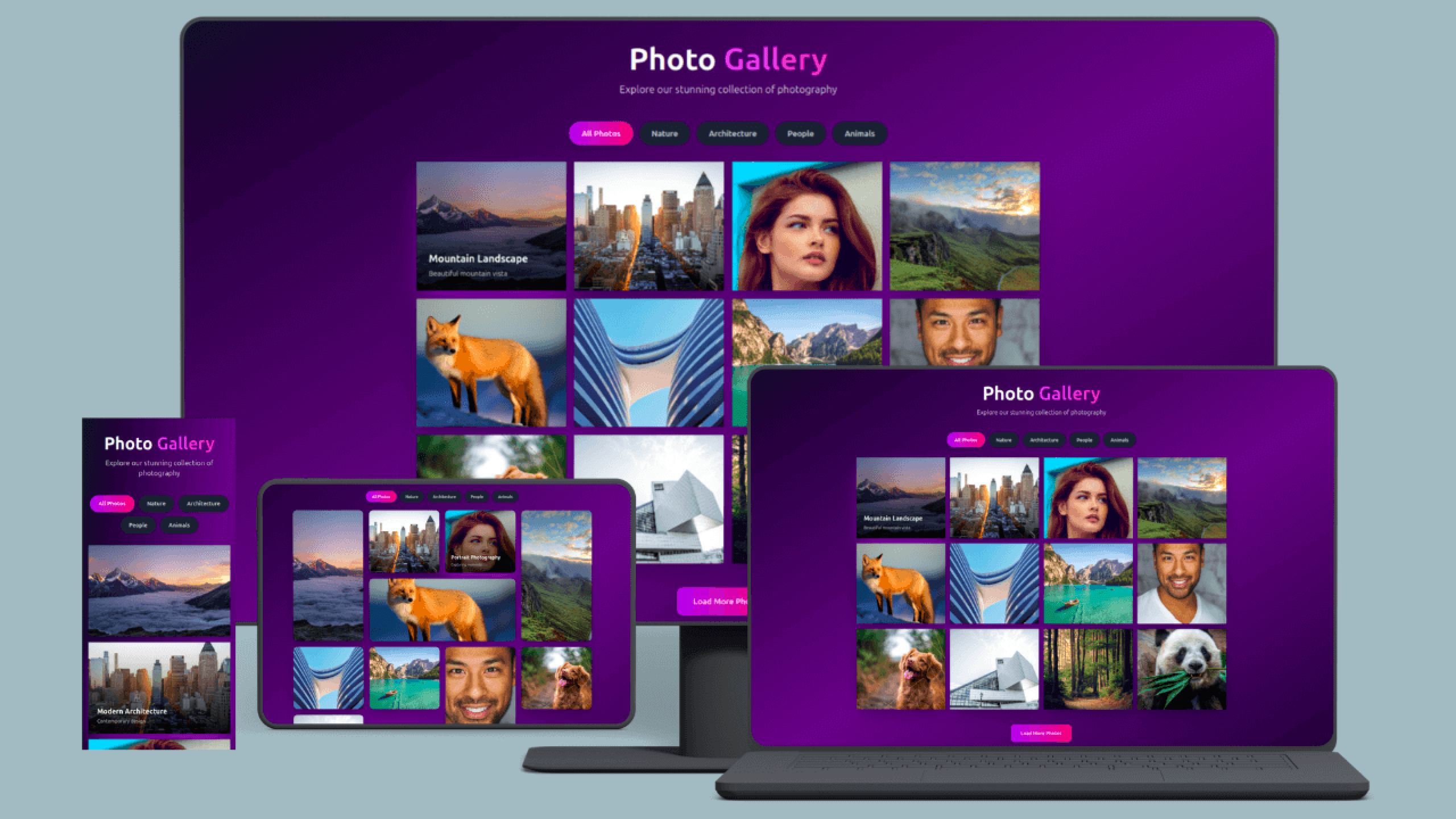
This photo gallery template is perfect for showcasing images in a clean, elegant, and performance-optimized layout. It features a dynamic filtering system, fullscreen lightbox viewer, and beautiful hover animations, making it ideal for both personal and commercial projects.
Whether you’re a beginner looking for a ready-made gallery or a developer who wants a customizable base, this template gives you full control with minimal effort.
✨ Key Highlights
-
Lightbox Image Viewer
View images in fullscreen with smooth transitions, next/previous navigation, keyboard controls, and click-to-close functionality.
-
Category Filtering System
Instantly filter images by category (Nature, Architecture, People, Animals, etc.) without page reloads.
-
Fully Responsive Grid Layout
Automatically adapts from 1 column on mobile to 4 columns on large screens.
-
Modern Dark UI
Elegant dark theme with gradient backgrounds and high contrast for a premium look.
-
Smooth Animations & Effects
Hover zoom effects, fade-in transitions, and polished UI interactions.
-
Performance Optimized
Lazy-loaded images, clean HTML structure, and lightweight JavaScript for fast load times.
🛠 Easy Customization
This template is designed to be beginner-friendly:
-
Replace images by changing image URLs
-
Edit titles and descriptions directly in HTML
-
Add or remove categories using data-category attributes
-
Customize colors, spacing, and layout using Tailwind utility classes
-
Duplicate gallery items to add more images instantly
No advanced JavaScript knowledge required.
📥 How to Use
-
Download or copy the index.html file
-
Open it in any modern browser
-
Replace images and text with your own content
-
Upload to your hosting or deploy instantly
That’s it — no installation, no setup process.
🎯 Perfect For
-
Photography portfolios
-
Creative agency websites
-
Artist and designer portfolios
-
Travel and lifestyle blogs
-
Real estate listings
-
Product showcases
-
Event and wedding galleries
🆓 License
📌 Why Choose This Template?
✔ Clean and modern design
✔ Works on all devices
✔ Easy to customize
✔ SEO and performance friendly
✔ Beginner and developer friendly
Create a professional photo gallery in under 5 minutes and showcase your images with style and confidence.
Download now and start building instantly. 📸✨
How to Run & Customize This Template
This download includes the source files for Photo Gallery Template, built with HTML/Tailwind CSS. You can adapt the layout, typography, and color tokens for personal or client projects without attribution.
- Extract the archive: Download the ZIP file or clone the repository and open the project folder in VS Code or your preferred editor.
- Preview locally: For static HTML/Tailwind templates, open
index.html with a local development server (such as the VS Code Live Server extension or npx serve .) so relative asset paths resolve cleanly. If the project includes a package.json, run npm install followed by npm run dev. - Replace colors and fonts: Search for the primary accent utility classes or CSS custom properties and swap them to match your brand palette. Before deploying to production, compile Tailwind CSS locally instead of relying on the Play CDN script.
- Check responsive breakpoints and accessibility: Test the layout at
375px (mobile), 768px (tablet), and 1280px (desktop), and verify that interactive buttons, links, and menus work with keyboard navigation.
Need help customizing or found a bug in the source files? Read our production customization guide or report an issue to the editor.
 components