Components
HTML/Tailwind CSS

Animated Navbar

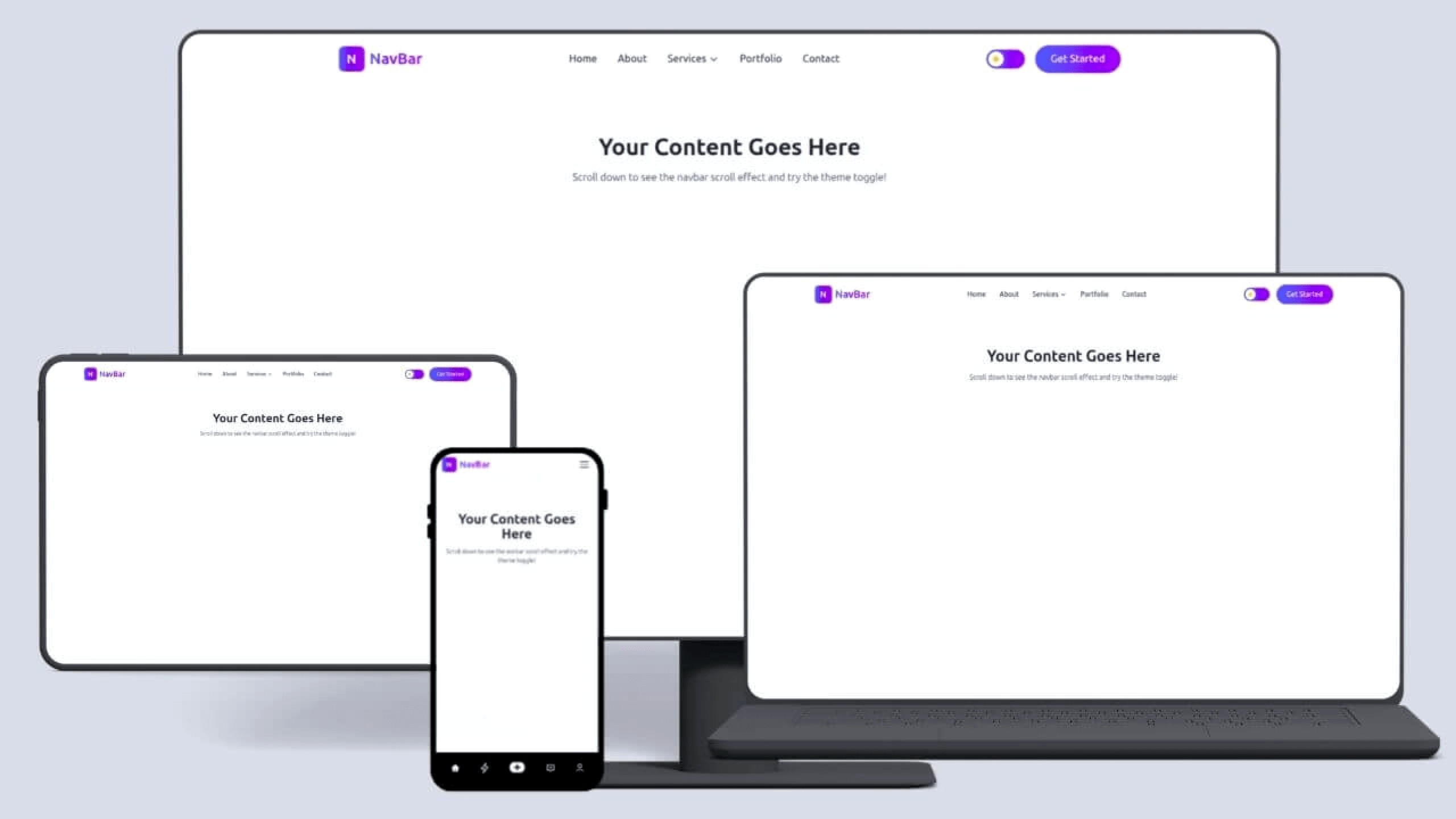
A modern, fully responsive, and animated navbar template built with HTML, Tailwind CSS, and Vanilla JavaScript. This navbar is production-ready and perfect for websites, SaaS products, portfolios, landing pages, startups, and dashboards. Designed with smooth animations, elegant dropdowns, and a beautiful dark/light mode toggle, this navbar delivers a premium user experience completely free to download and use.

Download Template

This template is free to download and use in your projects.

0 downloads
0 (0 reviews)
0 views
Animated Navbar

✨ Key Features

  • ⚡ Modern UI & Animations
    Smooth hover effects, animated underline links, and slide-down transitions

  • 🌗 Dark / Light Mode Toggle
    Fully functional theme switcher with saved preference (LocalStorage)

  • 📱 Fully Responsive
    Optimized for desktop, tablet, and mobile devices

  • 🍔 Animated Mobile Menu
    Stylish hamburger animation with an expandable menu

  • 📂 Dropdown Navigation
    Desktop hover dropdown & mobile accordion dropdown

  • 🎨 Tailwind CSS Powered
    Easy to customize colors, spacing, and layout

  • 🚀 No Framework Required
    Pure HTML, Tailwind CDN, and Vanilla JavaScript

  • 🧠 Production-Ready Code
    Clean structure, reusable styles, and optimized performance

🛠️ Tech Stack

  • HTML5

  • Tailwind CSS (CDN)

  • Vanilla JavaScript

  • CSS Animations

🎯 Best Use Cases

  • SaaS websites

  • Startup landing pages

  • Portfolio websites

  • Blogs & content platforms

  • Admin dashboards

  • Template marketplaces

📥 License & Usage

✅ 100% Free Download
✅ Free for personal & commercial projects
No attribution required

🔧 Easy Customization

  • Change logo & brand name in seconds

  • Modify colors via Tailwind utility classes

  • Add or remove menu items effortlessly

  • Extend dropdowns or CTA buttons

How to Run & Customize This Template

This download includes the source files for Animated Navbar, built with HTML/Tailwind CSS. You can adapt the layout, typography, and color tokens for personal or client projects without attribution.

  1. Extract the archive: Download the ZIP file or clone the repository and open the project folder in VS Code or your preferred editor.
  2. Preview locally: For static HTML/Tailwind templates, open index.html with a local development server (such as the VS Code Live Server extension or npx serve .) so relative asset paths resolve cleanly. If the project includes a package.json, run npm install followed by npm run dev.
  3. Replace colors and fonts: Search for the primary accent utility classes or CSS custom properties and swap them to match your brand palette. Before deploying to production, compile Tailwind CSS locally instead of relying on the Play CDN script.
  4. Check responsive breakpoints and accessibility: Test the layout at 375px (mobile), 768px (tablet), and 1280px (desktop), and verify that interactive buttons, links, and menus work with keyboard navigation.

Need help customizing or found a bug in the source files? Read our production customization guide or report an issue to the editor.

Follow Us

Share Your Feedback

Did you find this template useful? We'd love to hear your thoughts and suggestions to improve our templates.

Share Feedback